


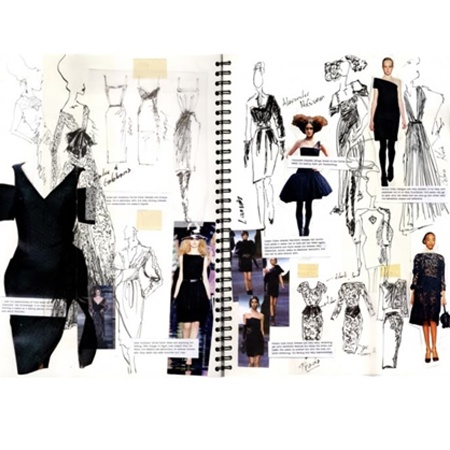

| Feature | Digital Portfolio | Physical Portfolio |
|---|---|---|
| Format | Website, PDF or Online gallery | Printed folder or bound book |
| Best Use | Sharing links with design schools, brands and online job applications | Face to face interviews, walk-ins and jury reviews |
| Cost | Usually low. You may spend on a website plan or software | Higher. You pay for printing, high quality paper and binding |
| Flexibility | Easy to update anytime | Difficult to change once printed |
| Visual Impact | Works well for large images, videos and interactive layouts | Creates a stronger tactile experience during in-person reviews |
| Portability | Simple to share across email or WhatsApp | You carry it physically, so travel-friendly design matters |
| Customisation | Wide layout freedom | Limited to printed page sizes |
| Website Builders | |
|---|---|
| Wix, Squarespace, Format | Best for professional portfolio websites |
| Behance, Coroflot | Free platforms with built-in design community |
| Adobe Portfolio | Free with Creative Cloud subscription |
| Design Software | |
| Adobe InDesign | Industry standard for PDF portfolios |
| Adobe Illustrator | Essential for technical flats and illustrations |
| Canva | Beginner-friendly, templates available |
| Procreate | Digital sketching for iPad |
| Photography & Editing | |
| Adobe Lightroom | Professional photo editing |
| VSCO, Snapseed | Mobile editing apps |
| Professional photographer | Recommended investment for final collections |

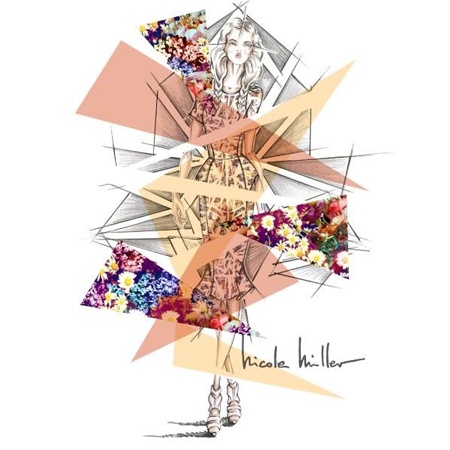


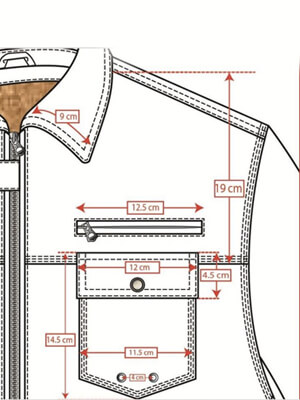

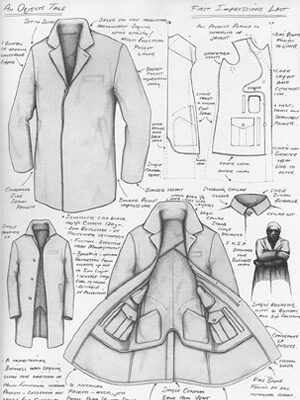



Offer a single downloadable PDF (print-ready, less than 15 MB) and a web version (personal website or Behance) for easy viewing.
Use high-res images (at least 2000 px on the long edge) but export web JPEGs around 150 - 300 KB each to balance quality and load speed.
Use portfolio-friendly platforms like Squarespace, Webflow, Wix, Adobe Portfolio or Behance - choose one that shows images full-bleed and supports mobile.
Use descriptive, SEO-friendly filenames (e.g., brandname_collection_look01.jpg) and include brief alt text for accessibility and search.
Watermark lightly only for public web galleries; for interview PDFs or private links, avoid watermarks so work reads professionally.
Use low-resolution images for public galleries, keep high-res and tech packs private, and add copyright notice and contact details on the site/PDF.
Aim for a 1:2 ratio - one process/concept page for every two final looks - to show thinking without overloading the viewer.
Yes - include client work only with permission and credit; if contractual, anonymize or show only parts you have rights to.
Collaborate with fashion students, local photographers exchanging services, or use friends as models; keep lighting and styling consistent.
Name, professional email, phone (optional), city, and links to LinkedIn/Instagram/portfolio site - place them on the cover and end page.
A short line or two from internships/clients helps; keep them concise and include name + role if permitted.
Refresh at least twice a year or whenever you complete 3 - 5 new strong pieces.
Keep one compact, high-quality printed version for in-person interviews, but use a web version for applications and wide reach.
Lead with your strongest project, explain the brief-process-result briefly (30 - 60 seconds per project), and keep a printed backup or tablet.
| ABOUT THIS ARTICLE | |
|---|---|
| Published On | 28 Mar 2025 |
| Updated On | 04 Dec 2025 |
| Author | Waves Institute of Fashion Designing |
| Publisher | Waves Institute of Fashion Designing |
| URL | https://articles.wifd.in/how-to-create-a-fashion-portfolio |
CONTACT USWaves Institute of Fashion Designing,